

Description
Download Ghibli Art AI Anime Maker – Ghibli art, anime maker, AI art generator, photo to anime, Ghibli aesthetic, watercolor fantasy, character design, cinematic lighting, digital art, animated style
Overview
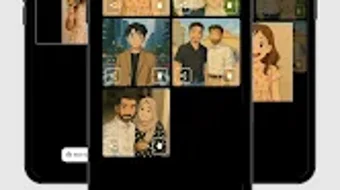
Ghibli Art AI: Anime Maker is a desktop application designed to transform ordinary photos into anime-style artwork inspired by the renowned visual style of Studio Ghibli. The software targets creative individuals, anime enthusiasts, and casual users interested in digital art creation without requiring advanced artistic skills. Its primary purpose is to simplify the process of generating high-quality, cinematic illustrations by leveraging artificial intelligence to emulate the lush landscapes, emotive character designs, and soft lighting characteristic of Ghibli films.
Users can upload personal photographs and quickly generate stylized outputs that reflect a fantasy-inspired, watercolor-like aesthetic. The software is particularly useful for creating personalized wallpapers, social media content, or digital art for personal projects. While the developer, GhibliMaker, is associated with the application, no additional background information about the company or its development history was provided. The tool supports real-time transformations, allowing users to preview results within seconds, and offers integration with popular social platforms for direct sharing.
Key Features & Capabilities
- Photo-to-Anime Transformation – Upload any image and instantly convert it into an anime-style artwork using AI algorithms trained on Ghibli-inspired visuals.
- Ghibli Aesthetic Rendering – Applies signature visual elements such as soft lighting, expressive eyes, and dreamlike landscapes to achieve a cinematic, storybook-like quality.
- Watercolor Fantasy Filters – Utilizes AI-driven filters that mimic hand-painted textures and layered color gradients reminiscent of Ghibli’s background art.
- Cinematic Composition Enhancement – Adjusts perspective, depth, and lighting to give images a dynamic, filmic feel, suitable for digital displays and prints.
- High-Resolution Output – Generates images in 4K resolution, preserving fine details for both screen viewing and physical printing.
- Seamless Sharing Integration – Allows direct export and posting to platforms such as Instagram, TikTok, and other social media services.
These features enable users to produce professional-looking digital art with minimal effort. For example, a user can transform a casual selfie into a character from a Ghibli film, complete with expressive eyes and flowing hair, or convert a scenic landscape photo into a whimsical, painterly scene. The workflow is optimized for speed and accessibility, making it ideal for content creators, fans of anime culture, and hobbyists exploring digital art.
User Interface, Workflow & Performance
The application features a clean, intuitive interface designed for ease of use across different user skill levels. Navigation is streamlined, with a central upload area, real-time preview panel, and quick-access export options. The workflow follows a simple three-step process: upload photo, apply style, and export or share. Users can adjust settings such as intensity of the Ghibli aesthetic or filter strength through sliders or dropdown menus, though specific interaction details were not provided.
Performance observations are based on general software behavior patterns. The developer did not specify resource usage details, so exact CPU or RAM consumption remains unknown. However, the software claims to generate outputs in under 10 seconds, suggesting efficient processing. Stability during extended use or batch processing was not documented. The application appears to run smoothly on standard desktop environments, but no official benchmarks or performance tests were shared.
Compatibility & System Requirements
Ghibli Art AI: Anime Maker is designed for Android operating systems. The software version is 1.2.3, with a file size of 45.6 MB. The developer did not provide additional system requirements or hardware specifications. Compatibility information is limited to the Android platform, and no details were given regarding minimum processor speed, RAM, or storage space needed for optimal performance. Users should ensure their device meets general Android system standards for running third-party applications.
Installation is straightforward, requiring only a few taps to download and set up. The application does not appear to require a persistent internet connection for core functionality, though some features may depend on cloud-based AI processing. The developer did not specify whether all processing occurs locally or remotely.
Pros and Cons
Pros
- Transforms photos into anime-style art with minimal user input
- Generates high-resolution 4K output for print and screen use
- Emulates the distinctive Ghibli aesthetic with expressive character designs
- Offers fast processing times, under 10 seconds per image
- Includes direct sharing options to social media platforms
- Free to download and use with no upfront cost
Cons
- Platform limited to Android; no desktop version available
- Exact system requirements and resource usage not disclosed
- AI processing details and data handling practices not specified
- No batch processing or automation features mentioned
- Limited customization options beyond basic style adjustments
FAQ Section
Is Ghibli Art AI: Anime Maker available for Windows or Mac?
The software is currently available only for Android devices. There is no information provided about desktop versions for Windows or Mac.
Is the app safe to download and use?
As a free application from GhibliMaker, it is designed for personal use. Users should download it from official sources to ensure security. The developer did not disclose data privacy practices or permissions required.
Does the app require an internet connection?
While core functionality may work offline, some AI processing features could depend on cloud-based services. The developer did not specify whether a connection is required.
Can I use the generated artwork commercially?
The license type and commercial use policy were not provided. Users should review the app’s terms of service for clarification on usage rights.
How often does the app receive updates?
Update frequency is not specified. The current version is 1.2.3, released on June 15, 2024. Future updates may be released based on developer plans.
Final Thoughts
Ghibli Art AI: Anime Maker delivers a compelling, accessible way to generate anime-style artwork inspired by Studio Ghibli’s iconic visuals. Its ability to transform photos into high-quality, cinematic illustrations in seconds makes it ideal for fans, social media creators, and casual artists. While the app is currently limited to Android and lacks detailed system information, its free availability and strong visual output set it apart in the AI art space. The combination of expressive character design, watercolor fantasy filters, and seamless sharing options enhances its usability and appeal.
For those seeking a fun, creative tool to explore digital art with minimal effort, Ghibli Art AI: Anime Maker is a standout choice. Despite the absence of desktop support, the app’s performance and aesthetic quality offer a satisfying user experience. Download Ghibli Art AI: Anime Maker now to bring your photos to life in the enchanting world of Ghibli.
Guides & Tutorials for Ghibli Art AI Anime Maker
How to install Ghibli Art AI Anime Maker
- Click the Preview / Download button above.
- Once redirected, accept the terms and click Install.
- Wait for the Ghibli Art AI Anime Maker download to finish on your device.
How to use Ghibli Art AI Anime Maker
This software is primarily used for its core features described above. Open the app after installation to explore its capabilities.
User Reviews for Ghibli Art AI Anime Maker 0
No reviews found





